Nanoblock Studio
About Nanoblock Studio
Nanoblock Studio turns a photo into a design you can actually build out of 1×1 nanoblock plates. The image is downsampled to your plate size, each cell is matched to the nearest color in a 20-shade nanoblock palette, and the result is exported as a parts list plus a printable, section-by-section instruction booklet.
Your photo stays with you
Decoding, cropping, color matching and PDF generation all happen in your browser. There is no server, no account and no upload — close the tab and the working copy is gone, while works you deliberately save stay in this browser until you delete them.
Ready to use offline. Add to your home screen for a full-screen experience.
Roadmap
01 — 02- 01Available now
Phase 1 — 2D mosaic: photo to buildable plate, parts list and printable instructions. Available now.
- 02Planned
Phase 2 — AI 3D figure: turn a photo into a 3D buildable model. Coming soon.
How it will work
ConceptStart from the same single photo. An AI model reconstructs the subject in 3D, and that mesh is voxelized onto the nanoblock grid so every voxel becomes a real brick in a real color. A structural pass then checks the model can actually stand — overhangs supported, layers interlocked — before it is sliced into layer-by-layer building instructions. This phase is in design; the images below are concept art, not output from a shipped tool.

01One photo
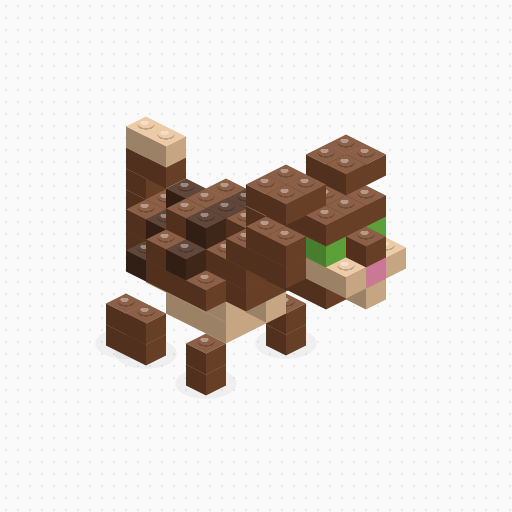
02AI 3D, voxelized to bricks
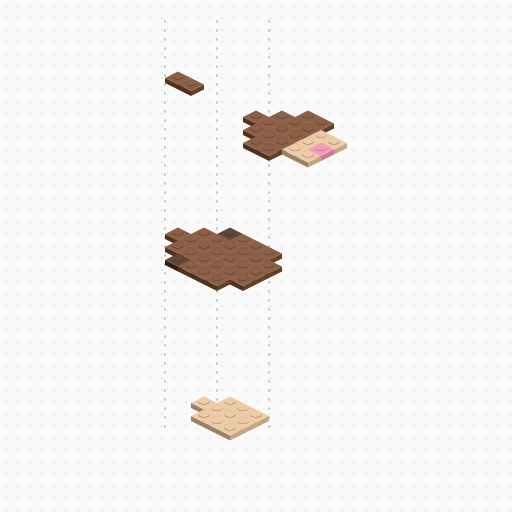
03Sliced into build layers